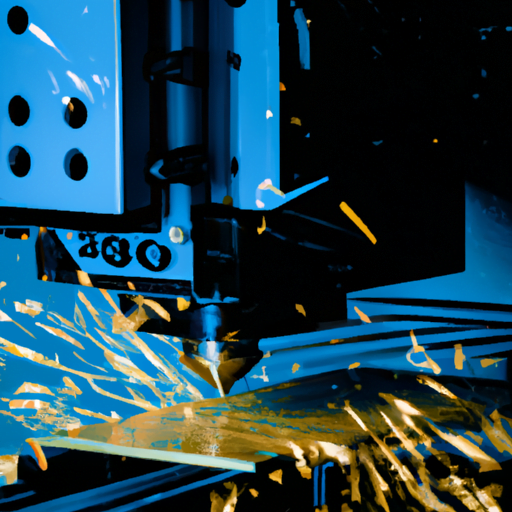
Are you interested in exploring the capabilities of the 3018 CNC for milling PCBs and metalworking? In this article, we will guide you through the process of setting up and optimizing your machine for both tasks. We’ll also provide assistance in choosing the right tools for PCB milling and share some helpful tips and tricks for successful results. Additionally, we’ll delve into advanced techniques for metalworking on the 3018 CNC. Get ready to unlock the full potential of your machine!
Setting up the 3018 CNC for PCB Milling
Before you can start milling PCBs with the 3018 CNC, you’ll need to set it up properly. To begin, make sure the machine is securely fastened to a stable surface and that all the cables are connected correctly. Next, adjust the spindle speed and feed rate settings according to the specifications of your PCB milling technique. It’s also important to calibrate the Z-axis depth so that it accurately cuts through the copper layer without damaging the underlying substrate. Additionally, familiarize yourself with common issues that may arise during PCB milling, such as tool breakage or incorrect alignment. Troubleshooting these problems promptly will help ensure successful results and prevent costly mistakes. By following these steps and staying vigilant in troubleshooting any issues, you’ll be ready to efficiently mill your own PCBs using the 3018 CNC machine.
Optimizing the 3018 CNC for Metalworking
To get the best results, it’s important to optimize the 3018 CNC machine for metalworking tasks. When it comes to metalworking, optimizing speed and feedrate is crucial. You want to find the right balance that allows for efficient material removal without sacrificing precision. Start by experimenting with different speed settings to find the sweet spot where you can achieve maximum cutting efficiency without causing excessive tool wear or overheating. Additionally, adjusting the feedrate can help prevent issues like chip buildup or chatter during machining. Troubleshooting metalworking issues is also a part of optimization. If you encounter problems like tool breakage or poor surface finish, don’t hesitate to investigate and make necessary adjustments. Remember, finding the optimal settings may require some trial and error, but it will ultimately lead to better metalworking results with your 3018 CNC machine.
Choosing the Right Tools for PCB Milling on the 3018 CNC
When it comes to PCBs, it’s crucial to choose the right tools for optimal results on the 3018 CNC machine. Selecting the appropriate tools can make a significant difference in the quality and precision of your PCB milling process. Here are three key factors to consider when making your tool selection:
Material compatibility: Ensure that the tools you choose are suitable for milling PCB materials such as fiberglass or copper-clad laminates. Using improper tools can lead to poor cut quality and damage to both the material and the tool itself.
Tool geometry: Different tool geometries, such as flat end mills or V-bits, are designed for specific purposes. Understanding these geometries and selecting the right one for your desired outcome is essential in achieving accurate cuts and clean edges.
Tool durability: Invest in high-quality tools that offer durability and longevity. Cheaper options may wear out quickly, leading to frequent tool changes and potential disruptions during your PCB milling process.
Tips and Tricks for Successful PCB Milling on the 3018 CNC
For successful PCB milling on the 3018 CNC machine, remember to adjust the depth and speed settings according to the specific requirements of your project. When it comes to PCB milling techniques, there are a few tips and tricks that can help you achieve great results. First, make sure your PCB design is optimized for milling by using software like Eagle or KiCad. This will ensure clean traces and accurate cuts. Additionally, always double-check your tool paths before starting the milling process to avoid any potential errors. If you encounter any issues during the process, troubleshooting PCB milling can be done by adjusting the spindle speed or changing the cutting tool. Remember to take your time and experiment with different settings until you find what works best for your specific project.
Exploring Advanced Techniques for Metalworking on the 3018 CNC
If you want to explore advanced techniques on the 3018 CNC, there are a variety of options available for expanding your metalworking skills. Here are three ways you can take your metalworking to the next level:
Dive into intricate designs: With the 3018 CNC, you can experiment with complex patterns and shapes that were once difficult to achieve by hand. Let your creativity flow and push the boundaries of what’s possible.
Master precision in metalworking: The 3018 CNC allows for precise measurements and accurate cuts, giving you control over every detail of your project. Practice honing your skills to achieve impeccable results.
Experiment with different materials: Take advantage of the versatility of the 3018 CNC by working with various types of metals, such as aluminum or brass. This will give you a chance to learn how each material behaves and discover new possibilities in your craft.
With these advanced techniques and a commitment to achieving precision in metalworking, you’ll be able to create stunning pieces that showcase your talent and expertise on the 3018 CNC machine.