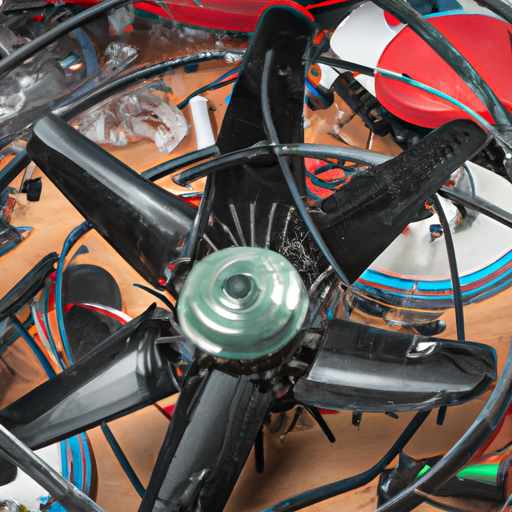
Are you struggling with a malfunctioning fan that’s not spinning properly, making strange noises, or failing to blow air? If so, you’ve come to the right place! In this article, we will guide you through troubleshooting common fan problems and provide easy solutions to fix them.
When your fan isn’t spinning as it should, it can be frustrating and uncomfortable. But fear not! We’ll help you identify the root cause of this issue and show you step-by-step how to get your fan back up and running smoothly.
Strange noises coming from your fan can disrupt your peace and quiet. We’ll show you how to pinpoint the source of these sounds, whether it’s a loose part or debris stuck in the blades, and guide you on resolving the problem efficiently.
If your fan is not blowing air effectively, leaving you feeling hot and sweaty, we’ll help troubleshoot why this might be happening. From clogged filters to faulty motors, we’ll walk you through the necessary steps to restore optimal airflow.
Is your fan overheating or suddenly turning off? Don’t panic! We will explain potential causes for this issue and teach you how to prevent overheating by ensuring proper ventilation.
Lastly, if your oscillating fan is having issues swaying side-to-side smoothly or not oscillating at all, we have just what you need! We’ll share tips on fixing faulty oscillation mechanisms so that cool air circulates evenly throughout the room again.
Whether it’s a ceiling fan in your bedroom or a desk fan in your office, our troubleshooting techniques will empower you to tackle any common problem with ease. So grab some tools and let’s get started on fixing those pesky fan issues together!
Fan Not Spinning Properly
Is your fan not spinning properly? Don’t worry, we’ll show you how to get it back up and running smoothly. One common issue that may cause your fan to not spin properly is a fan motor malfunction. If the motor is faulty, it can result in the fan not spinning at all or spinning at a slower speed than usual. To fix this problem, you will need to replace the faulty motor with a new one. It’s essential to ensure that you purchase the correct motor model for your specific fan.
Another possible reason for your fan not spinning properly could be fan speed control issues. Sometimes, the speed control switch or knob on your fan may become loose or damaged over time, preventing proper functionality of the fan’s rotation. To address this problem, start by checking if there are any loose connections between the speed control switch and the wiring inside the fan housing. Tighten any loose connections and ensure everything is securely fastened.
If these troubleshooting steps do not resolve the issue, it might be best to consult a professional technician who specializes in repairing fans. They will have the expertise necessary to diagnose and fix more complex problems with your fan’s functionality. Remember to always prioritize safety when working with electrical appliances and consider turning off power before attempting any repairs yourself.
Strange Noises Coming from the Fan
One possible sentence could be: "If strange noises are emanating from the fan, it may indicate a mechanical issue that needs attention." While fans are designed to operate quietly, there can be instances where unusual sounds disrupt their smooth operation. It is important to address these noises promptly to prevent further damage.
One common cause of strange noises is a fan motor malfunction. Over time, the motor’s bearings can wear out or become misaligned, resulting in grinding or squeaking sounds. To fix this issue, you may need to replace the faulty motor or lubricate the bearings if possible.
Another potential culprit for noisy fans is fan speed control issues. If the fan speed control mechanism malfunctions, it can cause the blades to spin at irregular speeds or create rattling noises. In such cases, replacing or repairing the speed control module may be necessary.
To summarize, when encountering strange noises coming from your fan, consider checking for any fan motor malfunctions and inspecting the fan speed control mechanism for any issues. Remember that timely troubleshooting and maintenance can help prolong the life of your fan and ensure its optimal performance.
- Check for loose screws and tighten them if needed.
- Clean any accumulated dust or debris from the blades.
- Ensure that nothing is obstructing the movement of the blades.
- Inspect and clean any vents or grilles on the fan.
- Consider seeking professional assistance if you are unable to identify or resolve the source of the noise yourself.
Fan Not Blowing Air
If your fan isn’t blowing air, it’s time to check for possible issues and get that refreshing breeze flowing again! Start by inspecting the fan blades. Dirty fan blades can hinder airflow and reduce the effectiveness of your fan. To clean them, first turn off the power to the fan. Then, use a damp cloth or sponge to gently wipe away any dust or dirt that may have accumulated on the blades. Be sure not to bend or damage the blades while cleaning.
If cleaning the blades doesn’t solve the problem, faulty wiring could be to blame. Check if there are any loose connections or damaged wires in your fan’s wiring system. If you’re comfortable with electrical work, you can tighten any loose connections or replace damaged wires yourself. However, if you’re unsure about working with electricity, it’s always best to call a professional electrician for assistance.
Remember, safety should always be a priority when troubleshooting any electrical issues. Make sure to turn off power sources before handling any components and follow proper safety precautions throughout the process. By addressing dirty fan blades and faulty wiring promptly, you’ll soon have your fan blowing air as good as new!
Fan Overheating
When your fan starts to overheat, it’s crucial to address the issue promptly and ensure that it continues to provide you with a much-needed breeze. One of the main causes of fan overheating is a problem with the fan speed control. If your fan is running at high speeds for an extended period, it can lead to overheating. To fix this issue, try reducing the speed setting on your fan or using a lower speed option if available.
Another factor that can contribute to fan overheating is lack of proper maintenance. Dust and debris can accumulate on the blades and motor, impeding airflow and causing the fan to work harder than necessary. Regularly cleaning your fan by dusting off the blades and using compressed air to remove any build-up will help prevent overheating.
Additionally, consider checking if there are any obstructions around the fan that may be blocking airflow. Make sure there is enough space for air circulation around the fan, as restricted airflow can cause it to overheat.
By addressing these common issues related to fan speed control and maintenance, you can ensure that your fan remains cool and efficient in providing you with a refreshing breeze whenever needed.
Fan Oscillating Issues
Imagine sitting in a stuffy room on a hot summer day, desperately hoping for a gentle breeze, but your trusty fan refuses to sway from side to side. It can be frustrating when your fan is not oscillating properly, but don’t worry, there are some troubleshooting steps you can take to fix this issue.
Firstly, check the fan speed control. Many fans have adjustable settings that allow you to control the speed and oscillation. Make sure the speed setting is not set too low or turned off completely. Adjust it to a higher setting and see if that helps.
If your fan has a remote control, ensure that it is working properly. Sometimes, the problem may lie with the remote control rather than the fan itself. Replace the batteries in the remote or try resetting it by removing and reinserting them.
Another thing to consider is whether there are any obstructions blocking the fan’s movement. Look around and make sure there are no objects or furniture hindering its oscillation range.
Lastly, if none of these steps work, it might be time to call for professional help or consider purchasing a new fan altogether. But hopefully, with these troubleshooting tips, you’ll be able to get your fan back in action and enjoy a cool breeze on those hot summer days again.
Conclusion
So there you have it – troubleshooting common fan problems and how to fix them. By following these simple steps, you can ensure that your fan is spinning properly, eliminate any strange noises, and get the airflow you need. Remember to check for any signs of overheating and address the issue promptly. And if your fan is having trouble oscillating, make sure to clean it thoroughly and check for any obstructions. With a little bit of maintenance and care, your fan will be back in top shape in no time!