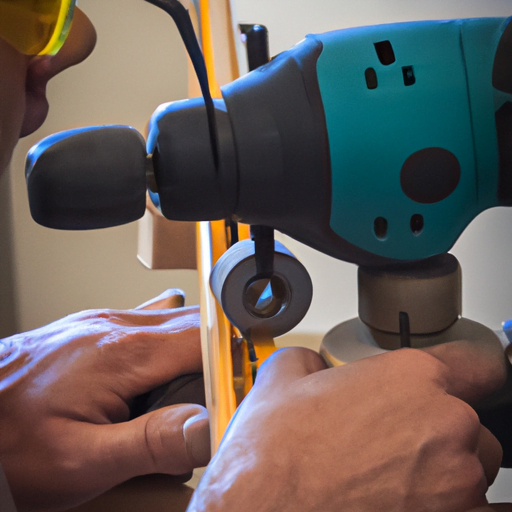
Are you experiencing issues with your drill press such as loss of power, excessive vibration, or irritating noise? Don’t despair! You can easily troubleshoot and fix these common problems yourself. Here, we will guide you through the process of troubleshooting and resolving these issues to get your drill press back in optimal working condition.
We’ll show you how to check the power supply and connections to ensure they are secure and functioning correctly. We will also discuss adjusting the belt tension to reduce vibration during operation, as well as tips on lubricating the moving parts for a quieter drilling experience.
Inspecting and replacing worn-out components can greatly improve performance. If all else fails, seeking professional assistance is advised.
By following our step-by-step instructions and employing some basic maintenance techniques, you can save time and money by fixing these common drill press problems yourself. Let’s get started and bring your drill press back to its full potential!
Checking Power Supply and Connections
If your drill press is experiencing a loss of power, vibration, or noise, the first step in troubleshooting is to check the power supply and connections. Start by ensuring that the drill press is properly plugged into a functioning power outlet. If it is plugged into a power strip or extension cord, make sure that these are also working correctly.
Next, inspect the power cord for any signs of damage such as fraying or cuts. If you notice any issues, it may be necessary to replace the cord. Additionally, check for loose connections between the power cord and the drill press itself. Ensure that all connections are secure and tightly fastened.
If you have confirmed that the power supply and connections are not causing the issue, it may be necessary to troubleshoot further. Consider checking if there is a tripped circuit breaker or blown fuse in your electrical panel. Resetting a tripped circuit breaker or replacing a blown fuse could potentially resolve the problem.
In some cases, an issue with other electrical equipment on the same circuit can cause problems with your drill press. Try unplugging other devices from nearby outlets to see if this improves performance.
By following these steps and thoroughly checking your power supply and connections, you can effectively troubleshoot common problems like loss of power, vibration, or noise with your drill press.
Adjusting Belt Tension for Reduced Vibration
To minimize shaking, you should adjust the tension of the belt on your drill press. The belt connects the motor to the spindle, and if it is too loose or tight, it can cause excessive vibration. Follow these steps to properly adjust the belt tension:
- Turn off and unplug your drill press before making any adjustments.
- Locate the motor pulley and loosen the set screw using an Allen wrench.
- Slide the motor backward or forward to increase or decrease tension respectively.
- Once you have achieved the desired tension, tighten the set screw securely.
Properly adjusting the belt tension can help reduce vibration and noise during operation, improving both safety and performance. If you notice that your belt is worn out or damaged beyond repair, it may be necessary to replace it with a new one. Regular maintenance of your drill press motor is also crucial for optimal performance. Keeping the motor clean and lubricated will ensure smooth operation and prevent any potential issues.
Remember to always refer to your drill press’s user manual for specific instructions on adjusting belt tension and performing motor maintenance tasks like cleaning and lubrication.
Lubricating Moving Parts for Quieter Operation
Ensure quieter and smoother operation of your drill press by regularly lubricating its moving parts, allowing for a more enjoyable and efficient drilling experience. Lubrication not only reduces noise but also prevents rust from forming on the various components of the drill press, ensuring its longevity.
To begin lubricating your drill press, start by cleaning any dirt or debris that may have accumulated on the moving parts. Use a soft cloth or brush to gently remove any buildup. Once clean, apply a few drops of oil or grease to the areas that require lubrication. These include the spindle, quill, chuck, and any other rotating or sliding parts.
By lubricating these components regularly, you can reduce friction and wear, resulting in improved drilling accuracy. The smooth movement provided by proper lubrication allows for precise drilling without any jerking or sticking.
In addition to improving drilling accuracy and preventing rust formation, regular lubrication also extends the lifespan of your drill press. By reducing friction between moving parts, less stress is placed on them during operation.
Remember to consult your drill press’s user manual for specific instructions regarding lubrication and recommended oils or greases. Following these guidelines will help ensure optimal performance and quiet operation for years to come.
Inspecting and Replacing Worn-out Components
Inspecting and replacing worn-out components is essential for maintaining the performance and longevity of your drill press, ensuring a smooth and efficient drilling experience. Regular inspection and maintenance will help you identify any defects or issues that may be affecting the functionality of your machine.
Start by visually inspecting the different parts of your drill press. Check for any signs of wear or damage on components such as belts, pulleys, bearings, and gears. Look out for cracks, fraying, or excessive play in these parts as they can lead to loss of power, vibration, or noise during operation.
If you notice any worn-out components during your inspection, it is important to replace them promptly. This will not only improve the performance of your drill press but also prevent further damage to other parts that might occur due to faulty components.
When replacing parts, refer to the manufacturer’s manual for guidance on proper installation procedures. Make sure to use high-quality replacement parts that are compatible with your specific model.
By regularly inspecting and replacing worn-out components, you can ensure that your drill press operates at its optimal level. This will result in a more enjoyable drilling experience with minimal power loss, reduced vibration levels, and quieter operation.
Seeking Professional Assistance if Issues Persist
If you’re experiencing persistent issues with your drill press, it may be necessary to seek professional assistance in order to address and resolve the problem effectively. While inspecting and replacing worn-out components can often fix common problems, there are instances where more complex issues may arise. This is where the importance of regular maintenance comes into play.
Regular maintenance is crucial to keep your drill press running smoothly and efficiently. It helps prevent potential issues from occurring in the first place. By following manufacturer guidelines for lubrication, cleaning, and adjustment, you can significantly extend the lifespan of your drill press.
When it comes to power loss, there could be several potential causes that require expert diagnosis. Faulty wiring or connections, a faulty motor or switch, or even inadequate power supply might be at fault. A professional technician will have the expertise to identify and address these issues properly.
In addition to diagnosing power loss problems accurately, professionals also have specialized tools and knowledge to deal with other common issues such as excessive vibration or noise. They can perform thorough inspections and make precise adjustments that may not be possible for an average user.
Remember that seeking professional assistance not only saves time but also ensures that your drill press is fixed correctly without causing further damage. So if you’re facing persistent problems despite inspecting and replacing worn-out components, don’t hesitate to reach out to a qualified technician for help.