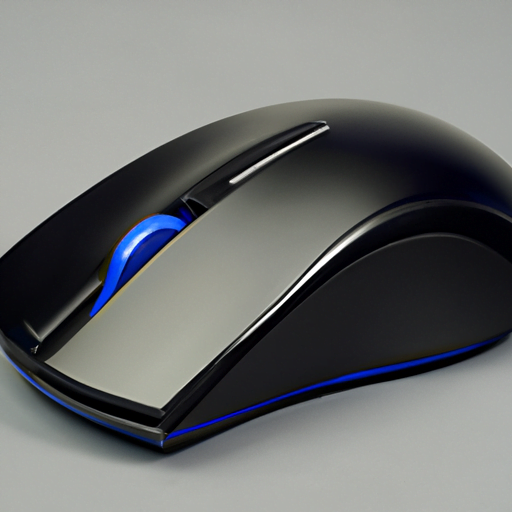
With an ergonomic design, these mice are specifically crafted to provide optimum support and reduce strain on your hand and wrist during long hours of use. Say goodbye to tangled wires with their wireless technology, offering you flexibility and freedom of movement. Customization is key, which is why these mice come with programmable buttons that allow you to personalize shortcuts and commands according to your needs. Additionally, their DPI adjustability ensures precise control over cursor movements, making every click count. Last but not least, durability and longevity are guaranteed so you can rely on these mice for years to come. Get ready to upgrade your work setup with the best mouse for working from home!
Ergonomic Design for Comfortable Use
Looking for a mouse that won’t leave your hand cramped and sore? Check out the best ergonomic options for a comfortable work-from-home experience! When it comes to long hours spent in front of a computer, having the right mouse with proper wrist support is essential. An ergonomic mouse can make all the difference in improving your posture and preventing discomfort.
One of the top choices for an ergonomic design is the Logitech MX Master 3. This wireless mouse not only provides excellent wrist support but also offers customizable buttons and precision scrolling, allowing you to navigate through documents effortlessly. Its unique shape fits perfectly in your hand, reducing strain on your wrist and fingers.
Another great option is the Microsoft Sculpt Ergonomic Mouse. With its contoured design, this mouse encourages a more natural hand position, relieving pressure on your wrist joints. The thumb scoop feature further enhances comfort by providing additional support where it’s needed most.
For those looking for an affordable yet effective solution, the Anker Vertical Ergonomic Optical Mouse is worth considering. Its vertical design promotes a more neutral wrist position, reducing strain and fatigue. With adjustable DPI settings and responsive buttons, this mouse ensures smooth navigation while keeping your comfort a priority.
Investing in an ergonomic mouse can greatly improve your work-from-home experience by minimizing discomfort and promoting better posture. Take care of yourself by choosing one that suits your needs best!
Wireless Technology for Flexibility
To enhance your remote work experience, you may want to consider incorporating a wireless mouse into your setup for increased flexibility and convenience. A wireless mouse offers enhanced connectivity for seamless usage, allowing you to move freely around your workspace without the hassle of tangled cords. With no wires restricting your movements, you can work from any position that suits you best.
One of the key advantages of a wireless mouse is its battery life optimization. This feature ensures uninterrupted productivity by minimizing the need for frequent recharges or battery replacements. You can work for extended periods without worrying about running out of power, which is especially important during important projects or meetings.
Moreover, a wireless mouse eliminates the clutter caused by cables on your desk, creating a cleaner and more organized workspace. It also reduces the risk of accidentally pulling or tripping over wires, preventing potential damage to both your equipment and yourself.
With its easy plug-and-play functionality, a wireless mouse is incredibly simple to set up and use. Simply connect it to your computer via Bluetooth or USB receiver, and you’re ready to go. The absence of cords not only adds convenience but also promotes overall efficiency in your work-from-home routine.
Incorporating a wireless mouse into your remote work setup brings enhanced connectivity and battery life optimization while reducing clutter and improving overall efficiency. Upgrade to a wireless mouse today for an improved and flexible work experience at home.
Programmable Buttons for Customization
Immersing yourself in a world of endless possibilities, the programmable buttons on your wireless mouse allow you to tailor your remote work experience with personalized shortcuts and commands. With these customizable buttons at your fingertips, you can enhance your productivity and streamline your workflow like never before.
Here are three reasons why programmable buttons can revolutionize your work-from-home setup:
Increased productivity: By assigning frequently used functions or applications to specific buttons, you can eliminate the need for repetitive clicks or keyboard shortcuts. This saves time and reduces the chances of errors, allowing you to focus more on your tasks and accomplish them efficiently.
Personalized workflow: Everyone has their own unique way of working. Programmable buttons enable you to create a customized setup that aligns with your preferred workflow. Whether it’s opening multiple tabs simultaneously, switching between virtual desktops, or launching specific software tools with a single click, the power is in your hands.
Efficiency boost: The ability to program buttons based on individual needs enhances overall efficiency. You can automate complex actions by creating macros or sequences of commands that execute with just one press. This eliminates repetitive processes and simplifies intricate tasks, ultimately saving valuable time and effort.
By harnessing the potential of programmable buttons on a wireless mouse, you unlock increased productivity and personalized workflows tailored specifically for remote work scenarios. So go ahead, take control of your work environment and optimize every aspect of it with this game-changing feature!
DPI Adjustability for Precision Control
Get ready to take your remote work setup to the next level with the precision control provided by adjustable DPI settings on your wireless mouse – it’s time to truly fine-tune your cursor movements. With DPI adjustability, you can easily switch between different sensitivity levels, allowing you to customize your mouse for optimal performance in various tasks.
One of the significant benefits of DPI adjustability is its gaming applications. Gamers often require high dpi settings for quick and precise movements during intense gameplay. By having a mouse with adjustable DPI, you can effortlessly switch between lower sensitivity for tasks that require accuracy and higher sensitivity for fast-paced gaming sessions.
Additionally, you might be concerned about how DPI adjustability affects your mouse’s battery life. Fortunately, most modern wireless mice are designed to optimize power consumption while providing flexible DPI options. Manufacturers have implemented energy-saving technologies that allow you to enjoy customizable sensitivity without compromising battery longevity. This means that even if you frequently adjust your DPI settings, you can still expect long-lasting performance from your wireless mouse.
Having a wireless mouse with adjustable DPI settings adds a new level of precision and customization to your work-from-home experience. Whether you need pinpoint accuracy or lightning-fast responsiveness in gaming applications, the ability to fine-tune your cursor movements will undoubtedly enhance your productivity and enjoyment. So go ahead and explore the world of adjustable DPI – it’s time to elevate your remote work setup!
Durability and Longevity
By investing in a wireless mouse with adjustable DPI settings, you can enjoy a durable and long-lasting tool that enhances your remote work experience. When it comes to durability and longevity, two key factors to consider are impact resistance and battery life optimization.
In a work-from-home setup, you may find yourself working in different environments. A mouse with impact resistance is crucial for rugged environments where accidental drops or bumps may occur. Look for a mouse that is designed to withstand these impacts without compromising its functionality. This way, you can have peace of mind knowing that your mouse will continue to perform reliably even in challenging situations.
Additionally, battery life optimization is essential for extended usage throughout the day. A wireless mouse with efficient power management features will ensure that you don’t have to constantly worry about recharging or replacing batteries. Look for a mouse with advanced energy-saving technologies that can maximize its battery life while still delivering exceptional performance.
By prioritizing durability and longevity in your choice of a work-from-home mouse, you can invest in a reliable tool that will support your productivity and withstand the demands of your remote work environment. So go ahead and choose a wireless mouse that offers both impact resistance for rugged environments and battery life optimization for extended usage.
Conclusion
So there you have it, the best mouse for work from home. With its ergonomic design, wireless technology, programmable buttons, and adjustable DPI, this mouse is perfect for long hours of comfortable use and precise control. Plus, its durability ensures that it will last you a long time. So why settle for anything less when you can have the best? Upgrade your work-from-home setup with this amazing mouse and enjoy enhanced productivity and comfort.